FaceTool: AI Face Swap Videos
- 3.8
- Rating
- 10.00K
- Installs
- Free
- Price

 Analysis by App-foxy
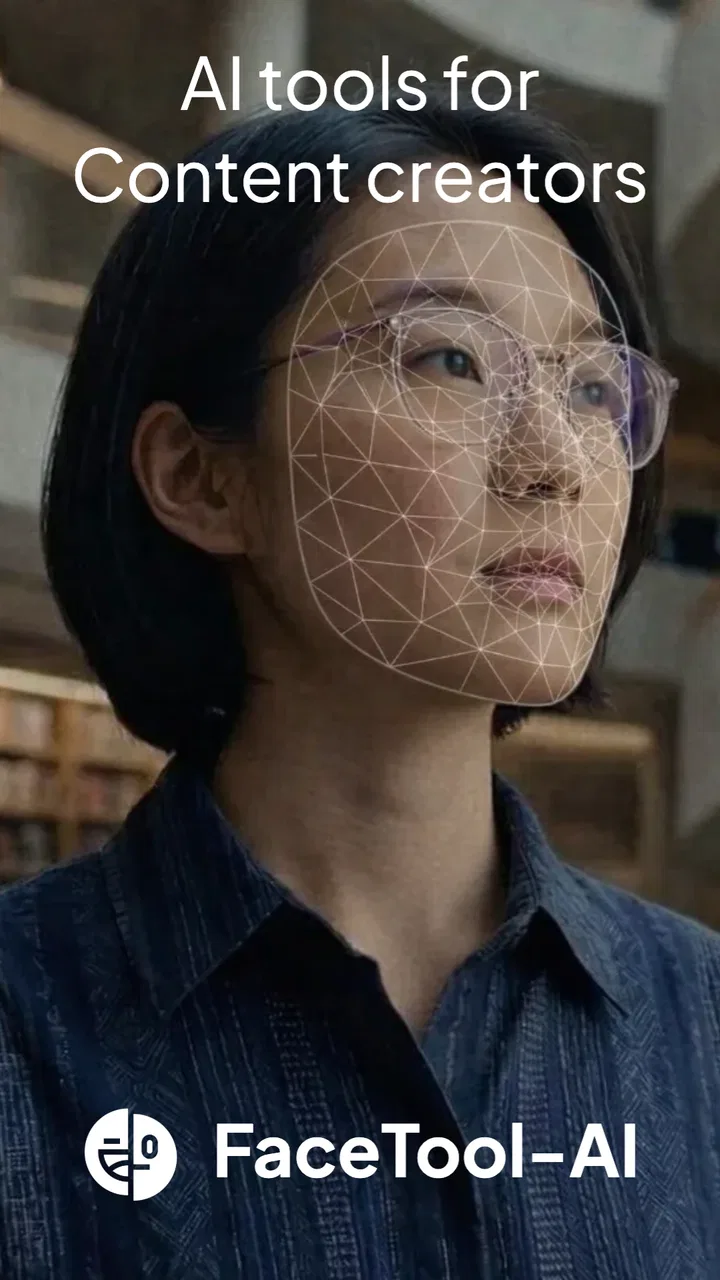
When I want to turn a simple selfie or short clip into something playful, I usually prefer a tool that gets me from idea to shareable result without making me learn a full editing suite. FaceTool: AI Face Swap Videos is built around that kind of quick experiment. It sits in the photography category, but its creative focus goes beyond still images: I can work with face swaps, portraits, lip-sync-style creations, and voice-cloning effects in one place. My impression is that it is aimed at people who want to explore AI-assisted visual content rather than manually edit every frame.
The appeal is easy to understand. I can start with a photo or video, choose the kind of transformation I want, and see how far the app can take the original idea. That makes it useful for a funny birthday greeting, a short social post, a character test, or a visual joke among friends. At the same time, I would not treat every result as publication-ready automatically. Face-based effects depend heavily on the source material, and the difference between an amusing transformation and an awkward one often comes down to lighting, framing, expression, and patience during setup.
From a rough idea to a finished creative clip
I find the most useful way to approach this section is to treat the face transformation as a creative starting point, not the whole production. I’ll look at how source choice and a few deliberate tests can turn a rough concept into a clip worth keeping, before moving on to the practical decisions that make the workflow smoother.
You May Also Like

 AccuWeather: Weather Radar
AccuWeather Review: A Quick, Clear Forecast for Everyday Decisions
For everyday plans, the best forecast is the one you can understand quickly. AccuWeather makes rain timing, radar, and local conditions easy to act on, with a few trade-offs.

 Hill Climb Racing
Why Hill Climb Racing Still Turns Crashes Into One More Run
A tiny car, a bumpy hill and one more upgrade: Hill Climb Racing keeps resurfacing because its simple chaos makes every near-miss feel personal.

 AliExpress - Shopping App
AliExpress Makes Global Shopping Feel Personal, but Shoppers Bear the Risk
AliExpress turns a global marketplace into a pocket-sized discovery engine. Its reach is useful, its shopping loop compelling, and its trade-offs easy to miss.

 Lords Mobile: Kingdom Wars
Lords Mobile Is a Kingdom-Building Routine, Not a Quick Match
A case-by-case verdict on the building, battles, device demands, and social commitments that make Lords Mobile rewarding for some players and exhausting for others.

 PDF Scanner app - TapScanner
TapScanner Makes Paperwork Easier to Capture, Check, and Share
TapScanner makes scanning with a phone feel less like a rescue operation and more like a dependable step in getting work done. Its capture tools are useful, though not flawless.

 Block Blast!
 Shows How Much a Puzzle Game Can Leave Out
A quiet grid game shows why puzzle players increasingly value instant clarity, repeatable skill and low-pressure play—and where the genre still needs to catch up.
More From Our News Desk
View All News


Choosing the right starting material
The best way to approach this app is to think about the input before touching the effects. A clear face facing the camera gives the system a much easier job than a dark profile shot, a crowded group photo, or a video with constant head movement. I found that this matters especially for face swaps and lip-sync work, where the mouth, eyes, and facial outline need to remain readable throughout the source.
For a quick experiment, I would choose a short clip with one obvious subject and a steady camera. A portrait with even light is a safer starting point than a dramatic image with deep shadows. This is not just a quality preference: a weak source can make the final result look misaligned, frozen, or unintentionally artificial, even when the selected effect is interesting.
One useful workflow is to prepare two or three different source images before committing to a longer creation. I might test a neutral portrait, a smiling portrait, and a short talking clip. That small comparison helps reveal whether the problem is the chosen effect or simply the original material. It also prevents wasting time trying to rescue a source that was never suitable for the transformation.
What the tool is trying to make possible
The central experience is face manipulation, but the range of creative directions makes the app more flexible than a single-purpose face-swap utility. I can approach it as a portrait playground, a short-form video maker, or a voice-and-mouth synchronization experiment. The store summary also points to cloning voices, which places the app in a more ambitious area than ordinary filters.
That variety is helpful when I have a concept but no fixed production method. For example, I could begin with a portrait idea, move toward an animated talking result, and then decide that a video face swap communicates the joke better. The app is most enjoyable when I treat these options as sketches rather than expecting a perfect final product on the first attempt.
There is also a practical reason to keep expectations measured. Combining several AI effects can make a result more entertaining, but it can also make small flaws more visible. A face swap that looks acceptable on its own may feel less convincing once voice or lip movement is added. I prefer to judge each stage separately: first the face placement, then the expression, then the audio relationship.
Making the first version
My advice is to begin with the simplest version of the idea. If the goal is a funny clip, start with one face and one transformation instead of layering every available option immediately. This makes it easier to understand what the app is doing and gives a clean reference for later changes.
The interface is best understood as a rapid-creation tool, not as a traditional timeline editor. I would not open it expecting detailed trimming, multitrack control, or the same precision I get from a dedicated video editor. Its strength is the transformation itself. Once the AI effect has done its work, more exact editing may be better handled elsewhere if the project needs careful pacing, captions, music, or a polished sequence.
That division of labor is one of the most useful ways to use the app. I can create the unusual visual or vocal element here, then move to my regular editor for the final arrangement. In that workflow, FaceTool becomes the imaginative middle step between a raw photo or clip and a finished social post.
Small choices that improve the result
One non-obvious tip is to match the source face to the target rather than choosing images only because they are funny. Similar head angles, comparable lighting, and a reasonably similar expression usually give the transformation a more coherent base. A front-facing face swapped into a sharply turned pose is more likely to look pasted on than integrated.
A second tip is to keep the first test short. Shorter material lets me evaluate alignment and expression quickly, and it makes failed attempts less frustrating. If the first few moments already show drifting features or an unnatural mouth, adding more duration will not solve the underlying issue.
A third practical insight concerns audience and context. A deliberately exaggerated result can work better than an almost-realistic one when the purpose is comedy. If I am making a playful message for friends, visible artificiality may be part of the charm. If I am making a portrait intended to look natural, I need to be much more selective about the source and much less willing to accept glitches.
Trying portraits, lip sync, and voice work
Portrait creation is probably the gentlest entry point because a still image gives the effect less movement to manage. I would use it for character concepts, profile experiments, or a quick visual variation of an existing photo. It is also a good place to learn how the app handles faces before moving into video.
Lip-sync-style creations require more care because viewers notice the mouth immediately. A clip with clear speech, a visible face, and limited obstruction is a better candidate than one filmed from the side or covered by hair, hands, or accessories. I would also listen to the audio as part of the review process, not judge the visual result alone. A convincing mouth movement paired with unsuitable sound still produces a weak final piece.
Voice cloning deserves an extra level of responsibility. I would only use my own voice or a voice for which I have clear permission, and I would label synthetic material honestly when other people could mistake it for a real recording. The creative possibility is interesting, but the feature should be treated as a production tool with consequences, not merely as another novelty filter.
Iteration is where the app earns its place
The first output is rarely the one I would publish. I see the app as most useful during iteration: change the source, adjust the concept, compare the result, and keep the version that communicates the idea best. A failed attempt is still informative if it shows that the face angle, clip length, or expression is unsuitable.
Rather than changing everything at once, I would alter one variable per attempt. Use a brighter portrait, then try a steadier video, then test a different expression. This makes the process less random and helps identify the actual cause of a poor result. It is a simple habit, but it saves time when an AI creation tool offers several possible inputs.
For creators producing several social posts, I would keep a small folder of reliable source portraits and clips. That creates a repeatable starting point without forcing every project to begin from zero. The trade-off is that repeated use of the same source can make a feed feel predictable, so I would refresh the material when the app is being used for a series rather than a one-off joke.
Where the workflow becomes less comfortable
The broad feature set may also be the app’s main source of friction. A tool that handles photos, videos, portraits, lip sync, and voice effects can feel less focused than an app designed for only one of those jobs. If I already know that I need precise color correction, detailed audio mixing, or frame-by-frame retouching, I would choose a conventional editor instead of expecting this app to replace it.
There is also a cost consideration. The app is free to install, but it includes in-app purchases ranging from $1.99 to $64.99 per item. I would explore the basic workflow first and decide whether the results justify spending money before building a regular production habit around it. The price range makes it especially important to understand what I can accomplish comfortably without turning a casual experiment into an unexpected purchase.
Performance can be another practical concern with AI media work. Longer videos, complex transformations, or repeated attempts may demand more patience than a simple photo effect. I would plan to review the output rather than assume that a completed process automatically means a clean result. For important content, keeping the original source files is sensible so that I can try a different approach later.
Preparing the result for handoff
Once I have a version I like, I would watch it from beginning to end before sharing it. Face effects can look fine in a still preview but reveal flicker, expression changes, or odd transitions during playback. I would also check whether the audio feels natural and whether the transformation remains understandable without an explanation.
For a social post, the app can serve as the creative generation stage, while another editor handles the finishing work. I might trim an unnecessary opening, add a caption, balance the volume, or place the transformed clip into a larger sequence. This approach avoids asking FaceTool to do jobs better suited to a dedicated editing application.
When handing a result to someone else, I would include a short note about what was generated or altered, especially for voice-related work. That is both courteous and practical: the recipient knows what they are looking at, and the creative effect is less likely to be confused with an authentic recording or photograph.
Who will enjoy it most
I think the app is a good fit for casual creators, social-media users, and anyone who enjoys testing unusual transformations without learning complex software. It can also help a small creator develop visual ideas quickly. A person planning a character series, humorous greeting, or short promotional concept could use it to make rough examples before investing time in a more polished production.
It is less suitable for someone who wants a complete professional post-production environment. If your priority is exact editing control, dependable naturalism, or a carefully managed audio workflow, the usual alternatives—a dedicated mobile video editor, a portrait retouching app, or a specialist audio tool—will probably be better for the final stage. FaceTool is more compelling as an idea generator and transformation tool than as an all-purpose replacement.
Families and younger users should also approach face and voice manipulation thoughtfully. The content rating is Everyone, but an age label does not remove the need for judgment about consent, identity, and how a finished clip might be interpreted. I would avoid using another person’s face or voice without permission, even when the intention is only a joke.
My final take on the creative workflow
SuTV’s app has an appealing place in my photography toolkit because it makes ambitious-looking transformations approachable. Its current version is 1.1.81, and the project has attracted over 10K installs with an average rating of 3.8 from users. Those figures suggest a modest but real audience, and they match my overall impression: this is an accessible creative experiment rather than a universally polished production platform.
The strongest results come when I choose the source carefully, keep early tests short, and accept that iteration is part of the process. I would use it to create the distinctive visual or vocal moment, then hand the output to a more precise editor when the project needs finishing touches. That workflow plays to its strengths while avoiding the frustration of demanding professional control from a transformation-focused app.
My recommendation is simple: try it if you want fast face-based experiments, playful portraits, or short AI-assisted clips, and begin with material you are comfortable sharing. Skip it if you need exact editing, consistent realism, or a complete publishing pipeline in one application. For me, its value lies in turning a rough creative idea into something visible quickly, provided I remain involved in choosing the source, reviewing every result, and using the effects responsibly.
FAQs for FaceTool: AI Face Swap Videos
01What is FaceTool: AI Face Swap Videos, and what can I do with it?
FaceTool: AI Face Swap Videos is an entertainment-focused app designed to replace faces in photos and videos using artificial intelligence. After selecting a source image or recording, you can apply a face-swap effect and create humorous clips, reaction content, or social-media posts. Results depend heavily on image quality, lighting, face position, and the app’s available templates and editing tools.
02Is FaceTool: AI Face Swap Videos free to download and use?
The app may be available to download at no initial cost, but some features, templates, exports, or processing options can require in-app purchases or a subscription. Before creating content, check the current pricing, trial terms, renewal conditions, and whether exported videos include watermarks. Store listings and prices can vary between Android and iOS, so review the payment information carefully.
03How do I achieve better face-swap results in FaceTool?
For the most convincing results, use a clear, front-facing photo with good lighting and only one easily recognizable face. Avoid sunglasses, heavy shadows, extreme expressions, blurred images, or faces partly covered by hair and accessories. Videos with stable camera movement and similar head angles generally work better. Processing quality may also depend on your device, internet connection, and the selected template.
04Does FaceTool upload my photos and videos, and is my privacy protected?
Face-swap apps may need to process images or videos on remote servers, especially when artificial-intelligence generation is involved. Before uploading personal or other people’s faces, read FaceTool’s privacy policy, permissions, retention rules, and information about third-party processing. Avoid using sensitive images, identity documents, or private recordings, and delete projects or account data when the app provides that option.
05Can I legally share FaceTool face-swap videos on social media?
You should only use photos and videos that you own or have permission to edit, particularly when they show other people. Do not use FaceTool to impersonate someone, create misleading content, harass others, or produce defamatory or explicit material. If you publish a realistic AI-generated video, consider labeling it as edited or synthetic and follow the rules of the platform where you share it.
Pros
- Creates entertaining face-swap videos with minimal editing effort.
- AI processing delivers convincing results in many well-lit clips.
- Supports quick sharing to popular social media platforms.
- Useful templates make it easy to start without creative skills.
- Regular content updates can keep the experience feeling fresh.
Cons
- Results may look distorted with side profiles or fast movement.
- Some advanced effects may require a subscription or extra credits.
- Processing can take longer on older phones or weaker connections.
- Uploaded photos and videos raise privacy concerns for some users.
- The app may include ads or watermarks in free exports.

FaceTool: AI Face Swap Videos
Gallery